
Your day at a glance
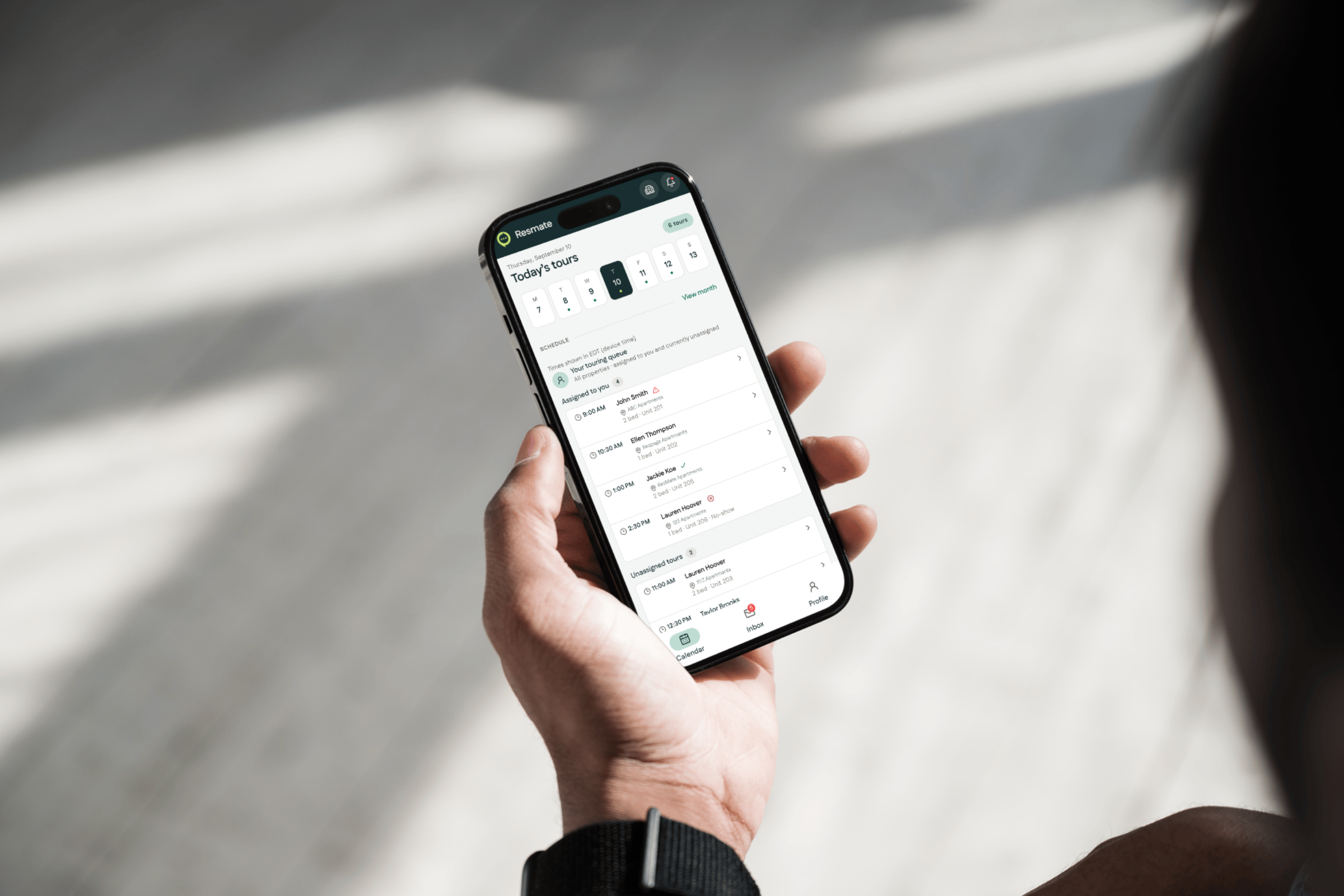
Open the app and today’s tours are right there. Who, where, what time, and which ones are confirmed, cancelled, or a no-show. Tours assigned to you sit at the top, with unassigned tours right below so nothing goes uncovered.


ResMate Go
An upgraded mobile experience for your property team, now with video for social posts. Manage tours, reply to prospects, and share what’s happening around your community.
Schedule A Demo

You’re showing a unit, getting the next one ready, and catching up on messages between tours.
ResMate Go puts your day in your pocket, so you can see what’s next and answer a waiting prospect without going back to a computer.
See something worth sharing while you’re out on the property? Capture a photo or video on your phone, then add it to a social post in ResMate Go.

Open the app and today’s tours are right there. Who, where, what time, and which ones are confirmed, cancelled, or a no-show. Tours assigned to you sit at the top, with unassigned tours right below so nothing goes uncovered.
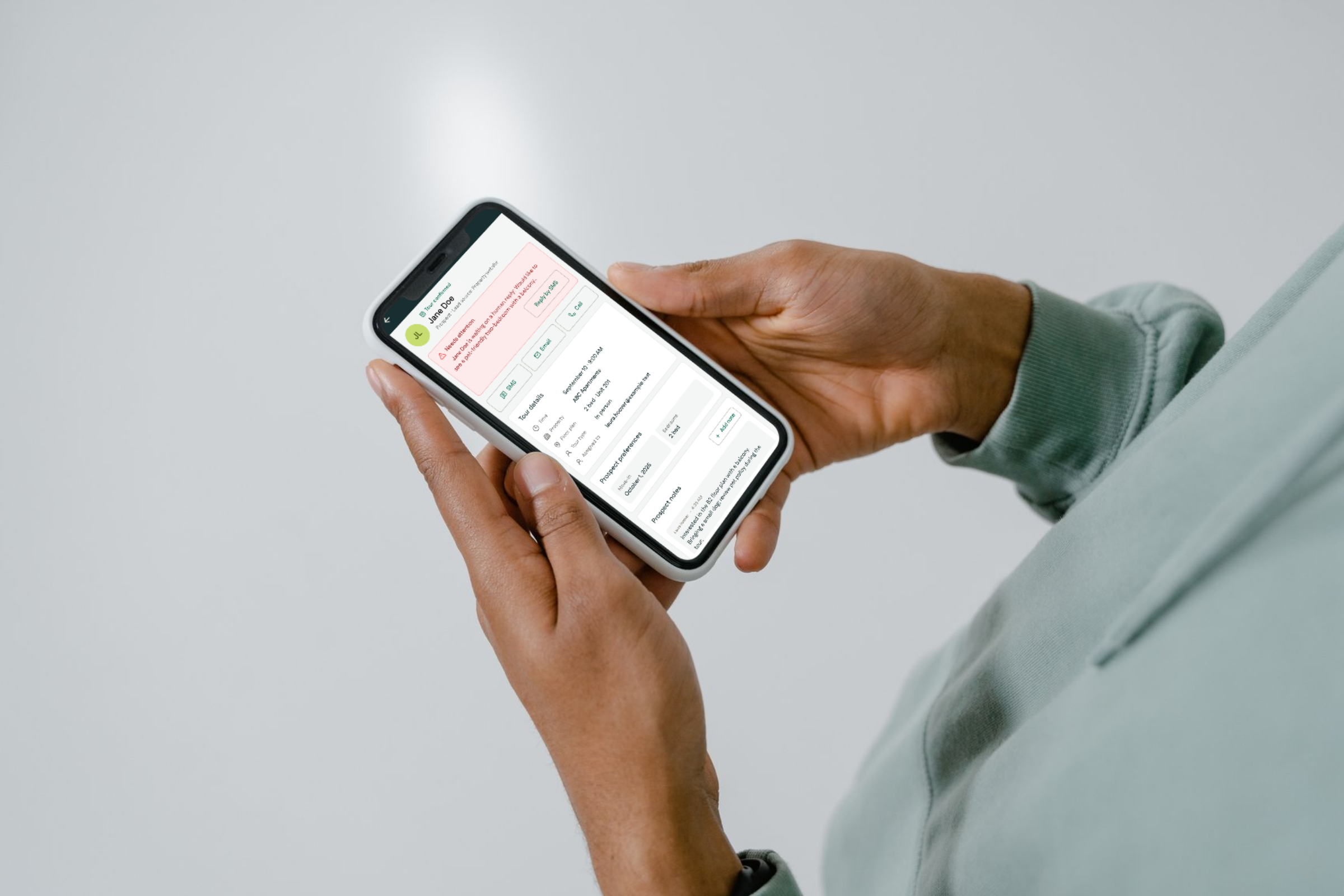
Text, email, or call a prospect from their profile without switching apps or leaving the property. The full conversation history comes with you.
Cover more than one community? Every tour and every message across all of them lands in a single calendar and a single inbox.
Respage has been building for multifamily since 2002, with more than 10,000 communities served. Keep tours, prospect conversations, and social posts moving from your phone, wherever the day takes you.
Schedule A Demo
You need an existing Respage account and an internet connection. Leasing features connect to your team’s ResMate account. Social features depend on your organization’s enabled Respage services and account permissions. Sign in with your existing Respage credentials.
If your team uses ResMate Atlas, your Respage representative can confirm which mobile features are available for your portfolio.
Yes. If you cover multiple communities, every tour lands in one calendar and every message lands in one inbox, with the property labeled on each. You can filter to a single property or see everything at once.
Yes. Text, email, and call are all available from a prospect’s profile, with the full conversation history attached so you’re never replying blind to a thread that started days ago on another channel.
Yes. You can choose push alerts for new inbox messages and same-day tour cancellations, and view notification history in the app.
The app is free to download. Access to leasing and social features depends on your Respage services and account permissions. Your Respage representative can confirm which services and features are included for your team.
Yes. With Social access enabled, you can draft posts and add photos or videos from your phone. Available publishing options follow your account permissions.
Yes. You can schedule or queue posts for your connected channels and browse scheduled posts by date, where your account permissions allow.
You can choose from the social channels connected to your Respage account. The channels and actions available in the app depend on your organization’s setup and your permissions.
ResMate answers every lead instantly, schedules tours, and follows up automatically, across web chat, email, text, phone, social, and ILS.
Learn More about ResMate: your always-on leasing teammateThe same assistant, built for single-family rentals, duplexes, triplexes, and manufactured housing, where every property is different.
Learn More about ResMate Atlas: AI leasing for any portfolioThe leasing CRM behind it all, included with ResMate. Track every prospect, conversation, and campaign in one place.
Learn More about CRM: Smart Leasing Platform


Bring your community to life on social
A sunny afternoon by the pool. A newly finished model. The setup for your next community event. Your team is already there to capture it. ResMate Go makes it easy to turn those photos and videos into social posts while you’re on the property.
Show what makes your community yours
Add photos or videos from your phone to a draft post. Give prospects a closer look at your spaces, amenities, and everyday property life.
Share now or plan ahead
Choose your connected social channels, then publish, schedule, or queue a post based on your account permissions.
See what’s coming up
Browse scheduled posts by date and check post status from your phone, so you can see what’s planned before adding something new.
Social features depend on your organization’s enabled Respage services and account permissions. Explore Respage social media management.